RW NetServer can, on the Windows platform, be run as a normal application, or as an NT service. On Linux, it can be started as a daemon or console application.
Operating as a normal application (Windows)
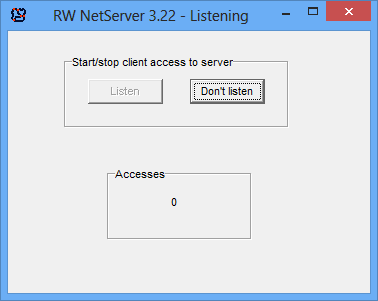
Start the server simply by executing the rwnetserver3.exe. After starting the server, it must be instructed to listen for clients. This is done by clicking the Listen button.
Stop the server by clicking on the 'x' to close the application. Alternatively one can click the 'Don't listen' button to let the server continue to run, but not accept any more requests from clients on any of the defined transports.
Operating as an NT service (Windows)
The server can be installed as an NT service (the service name is rwnetserver). Use install_service.bat file.
Similarly it can be uninstalled as an NT service. Use uninstall_service.bat file.
Start and stop the service via the NT service control panel. The server starts and stops to listen at the same time as the service is started / stopped.
Please notice that due to NT security policies, the networks must reside on local physical hard drives when RW NetServer is run as a service.
See INI file for options, if you want to run multiple copies of the NT service and have the proper license for this.
All logs are stored in the rwnetserver.log file.
Operating as a console application (Linux)
Start the server simply by executing the rwnetserver3 executable file.
Stop the server by clicking on the 'x' to close the application.
All logs are stored in the rwnetserver.log file residing in the same directory as the executable file itself.